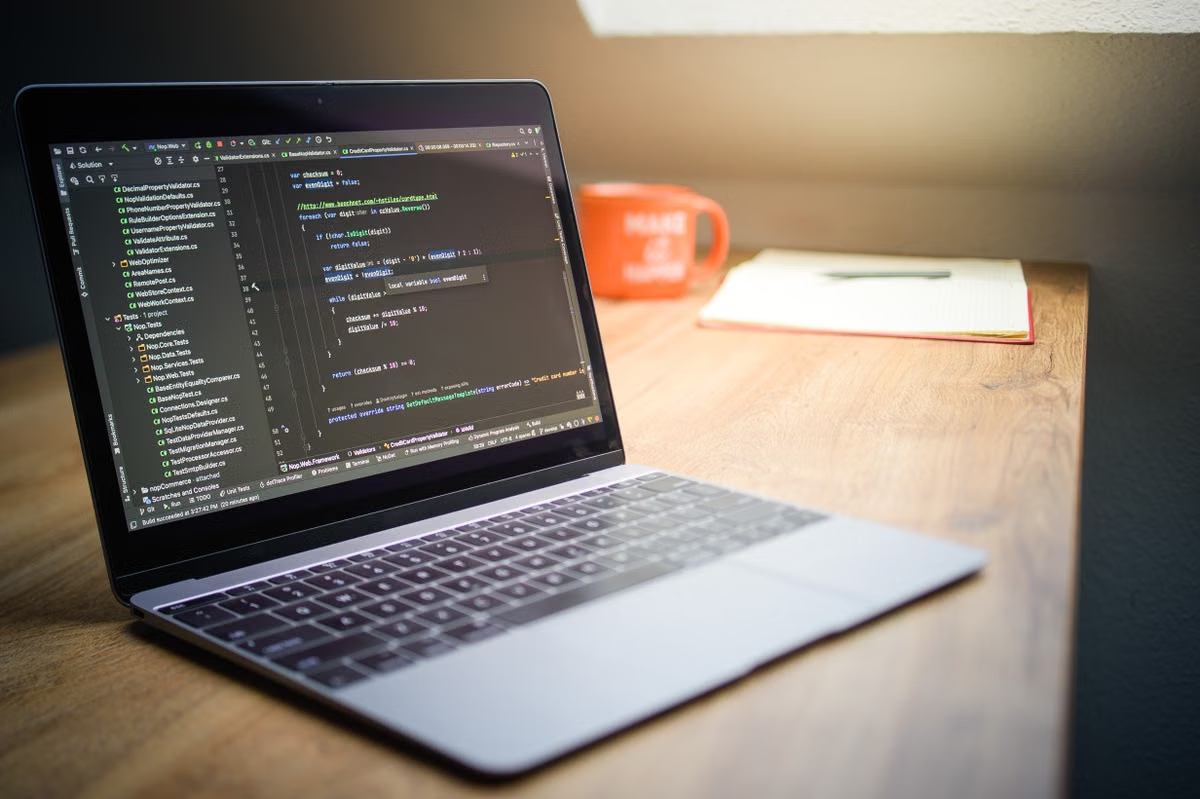
A developer’s model test keeps pushing memory pressure into the red while builds, containers, and debugging tools are still open.
The fastest answer is simple: choose MacBook Pro for mobile development, Mac mini for a fixed and budget-conscious node, and Mac Studio for larger models, parallel experiments, or sustained heavy workloads. If the workload is temporary or still changing, test it on a remote Mac before buying peak hardware.
This is the practical 2026 AI coding Mac recommendation for three groups:
- Individual developers who need coding, debugging, demos, and local model tests in one portable workstation.
- Small teams deploying always-on AI agents or shared development nodes.
- Technical leads planning high-memory Macs for model experiments, inference, and application development.
Last updated August 25, 2026. Product specifications were checked against Apple’s current MacBook Pro specifications, Mac mini specifications, and Mac Studio specifications.
Start with the workload, not the chip name
AI coding rarely consists of one process. A typical development session may include an editor, language server, package manager, containers, a browser, a local inference server, an embedding job, and automated tests. The Mac that looks attractive in a product comparison can become the wrong choice when these processes run together.
The first constraint is memory capacity. Local model weights, runtime overhead, context, compiler processes, and browser tabs compete for the same system memory. Apple silicon uses unified memory, so the CPU and GPU share the pool rather than drawing from separate conventional memory areas. MLX documents this unified-memory model and explains why memory availability matters to machine learning workloads. The MLX unified memory documentation is more useful for planning than a generic GPU comparison.
The second constraint is sustained load. A short inference test may complete successfully, while repeated inference, indexing, container builds, or fine-tuning creates a different thermal and scheduling problem. A desktop Mac usually offers a better fit for a fixed workstation because it does not need to balance battery operation, portability, and sustained cooling in the same way as a notebook.
The third constraint is operational stability. An always-on agent needs remote login, process supervision, log retention, credential separation, restart procedures, and a way to recover from a failed update. A portable computer can technically run these services, but portability does not improve service delivery. It can also create interruptions when the owner closes the lid, changes networks, or takes the machine away.
There is also an expansion constraint. None of these choices should be treated like a conventional desktop with an easily replaceable memory pool. External storage can expand datasets, repositories, and logs, but it does not solve insufficient unified memory during inference. Memory planning must therefore happen before purchase.
Use this decision path before comparing models
Apply the following conditions in order. Each branch gives one primary choice and a clear trigger for moving up.
- If the developer must code, debug, present, and test models away from a desk, choose MacBook Pro. Move to a desktop only when sustained model work repeatedly competes with the mobile workflow.
- If a monitor, keyboard, network, and fixed desk already exist, choose Mac mini. Move up when the selected model and development stack cannot coexist within the available memory.
- If the machine will run repeated inference, parallel experiments, large contexts, or long builds, choose Mac Studio. Do not select it merely because its chip name sounds faster.
- If an AI agent must stay online, choose the quietest maintainable fixed node rather than the most portable machine. Mac mini is often the starting point; Mac Studio becomes justified when memory or sustained throughput is the limiting factor.
- If several team members need capacity only during short project phases, test a remote Mac before purchasing. Keep a dedicated Mac only when usage is predictable, persistent, and operational ownership is clear.
- If memory pressure appears before CPU utilization becomes the bottleneck, increase memory capacity before changing chip tiers. A stronger processor does not create additional room for model weights, context, and development tools.
This path prevents a common purchasing mistake: choosing a high-end processor for a workload that is actually blocked by memory, remote administration, or the need to work away from the desk.
Choose MacBook Pro for mobile full-stack development
MacBook Pro is the single best choice when the developer needs one complete workstation in several locations. Its value is not limited to processor performance. The display, keyboard, battery-powered operation, built-in camera, speakers, and portable form factor remove the need to assemble a second environment for travel, client demos, or on-site debugging.
For AI coding, the important question is whether local model testing is occasional or central to the workflow. A developer who uses a compact coding assistant, runs retrieval tests, and checks agent behavior may benefit more from mobility than from the highest desktop memory tier. A developer who keeps a larger inference server active while compiling, running containers, and opening multiple simulators needs to examine memory headroom carefully.
Apple’s current MacBook Pro technical specifications should be checked at purchase time because available processor, memory, and storage combinations determine the usable workload boundary. The specification page confirms what can be ordered; it does not guarantee that every model, quantization format, or framework will fit comfortably.
Is MacBook Pro or Mac Studio better for AI coding?
Choose MacBook Pro when the work includes frequent travel, live demonstrations, hardware-independent application testing, or coding in multiple locations. Choose Mac Studio when the Mac will remain at a desk and the main task is continuous local inference, parallel experiment execution, or high-memory development.
Mac Studio is not automatically a better personal developer machine. It may require a separate display, input devices, webcam, and remote-access setup. Those costs are not only financial. The developer must also maintain two usable environments if mobile work remains necessary.
A useful upgrade trigger is repeatability. If a MacBook Pro completes the intended local model test but becomes unusable whenever a build, container stack, or second model starts, the problem is no longer occasional inconvenience. It is evidence that a desktop with more memory headroom should be evaluated.
Select Mac mini for a fixed personal node
Mac mini is the strongest fit for a developer who already owns the surrounding equipment and wants a fixed development machine. It can serve as a local model host, remote build node, test server, or always-available environment while the developer connects from another computer.
The key test is not whether Mac mini can launch a local large language model. In many cases, it can run a useful local model environment, but the practical result depends on model size, quantization, context length, runtime, and concurrent applications. The right question is whether it can keep the model, editor services, containers, logs, and test tooling available at the same time.
Apple’s Mac mini support specification provides the current configuration boundaries. Before ordering, the developer should map the chosen model and tools against available unified memory rather than comparing processor branding alone.
Can Mac mini run a local large model?
Mac mini is suitable for local large-model work when the expected model fits with meaningful room left for the operating system and development stack. It is less suitable when the workflow requires several models, long contexts, parallel inference, or fine-tuning jobs that consume memory continuously.
External storage helps with model libraries, datasets, checkpoints, and build artifacts. It does not turn external disk capacity into fast working memory. If the runtime begins compressing, swapping, or terminating processes under concurrency, adding storage will not fix the primary constraint.
Mac mini is also a strong first node for an AI agent. The developer can keep the service at a fixed network location, expose only the required interface, retain logs, and restart the process without carrying the computer between locations. For remote operation, the design should include separate service accounts, restricted secrets, SSH key management, firewall rules, and a documented recovery path.
The Apple Virtualization Framework documentation is relevant when the project needs isolated virtual machines for testing. Virtualization adds flexibility, but each guest environment introduces its own memory and storage overhead. A VM should be counted as part of the workload, not treated as a free isolation layer.
What memory does an AI agent development Mac need?
There is no universal memory number that applies to every AI agent. A tool-calling agent with a small local model, short context, and external APIs has a very different profile from an agent that runs a large local model, indexes documents, executes browser automation, and keeps several workers alive.
Use this memory planning sequence:
- Reserve room for the operating system and normal desktop applications.
- Measure the model’s loaded footprint under the exact runtime and quantization format.
- Add context, key-value cache, embeddings, vector search, and tool execution overhead.
- Add the editor, language server, containers, test runners, and browser sessions.
- Run the complete agent loop repeatedly instead of testing only a single prompt.
- Leave enough headroom for logs, background jobs, and an unexpected retry.
If the agent works only after the editor and containers are closed, the configuration is not production-ready. If the agent remains stable but inference is too slow, then processor or sustained cooling becomes the next question. This separation avoids buying a stronger chip when memory is the actual failure point.
For developers comparing options, the Mac mini pricing page can help frame fixed-node costs, while the technical decision should still follow the workload test rather than the monthly figure alone.
| Work pattern | Primary Mac mini role | Move to the next tier when |
|---|---|---|
| Local coding and occasional model checks | Fixed personal development node | Editor, containers, and inference compete for memory |
| Remote build and test service | Always-available build or test machine | Concurrent jobs create unacceptable queueing or instability |
| Small AI agent host | Persistent single-service node | Several agents, larger contexts, or heavier local inference must run together |
| Dataset and model storage | Local workspace with external storage | Working memory, not disk capacity, becomes the limiting resource |
Pick Mac Studio for high-memory experiments
Mac Studio is the appropriate choice for a professional user whose workload is defined by memory capacity and sustained operation. It is especially relevant for parallel inference tests, larger local models, repeated evaluation runs, fine-tuning experiments, dataset processing, and development environments that must remain responsive while several heavy jobs run.
Apple’s Mac Studio specifications define the available hardware combinations. Those specifications are useful for identifying memory and connectivity ceilings, but they should not be turned into a blanket claim that every machine will deliver the same model performance. Framework support, model architecture, quantization, context length, and software versions remain decisive.
Apple’s machine learning developer resources also show why framework choice matters. A model optimized for one runtime may behave differently in another, and a workload that benefits from GPU acceleration may not have the same profile as a compiler-heavy or data-preparation task.
Is Mac Studio suitable for personal AI development?
Mac Studio is suitable for personal AI development when local experimentation is a core activity rather than an occasional convenience. It becomes easier to justify when the developer needs high memory, repeated tests, multiple services, or long-running workloads that would make a notebook uncomfortable.
It is not the best default for every individual. A developer who spends most of the week writing application code and only occasionally validates prompts may gain more from a portable MacBook Pro. A developer with an existing laptop can use Mac Studio as a dedicated lab machine, but should budget for remote access, monitoring, backups, and physical peripherals.
Mac Studio also changes the failure mode. With more headroom, the developer may run broader experiments locally, but that can hide deployment constraints. A model that works on a high-memory development machine may still need optimization for a smaller production target or a shared service. Local capacity should support validation, not replace deployment testing.
Operate always-on agents as services
A persistent AI agent needs an operating model, not only a computer. Mac mini and Mac Studio can both serve as fixed nodes, but the correct choice depends on the service boundary.
The node should have a dedicated user or service account, restricted file permissions, separate development and production credentials, and logs that survive process restarts. A supervisor should restart failed workers without creating an uncontrolled loop. Health checks should distinguish a running process from a responsive agent. Backups should cover configuration and prompts without exposing secret keys.
Remote access also needs a recovery plan. If a network change blocks access, the team should know who can reach the machine physically or through an approved secondary route. If the project uses a macOS virtual machine for isolation, follow Apple’s documented macOS virtual machine installation process and account for the guest’s additional resource use.
For a small team, a shared node can be cheaper to manage than several high-memory personal machines, but only if jobs are scheduled and environments are isolated. Without queues, quotas, and clear ownership, a shared Mac becomes a contention point: one experiment can consume memory, block another developer’s build, and make performance reports impossible to reproduce.
Compare ownership with remote capacity
A team should decide between purchasing and renting by project shape, not by a simple monthly-versus-upfront calculation.
| Operating model | Best fit | Main advantage | Main risk |
|---|---|---|---|
| Each developer buys a high-spec Mac | Stable, independent workloads | No shared queue and strong local responsiveness | Duplicated cost, updates, and environment management |
| One dedicated shared Mac | Small team with coordinated schedules | Centralized model files, logs, and administration | Contention and permission mistakes |
| Remote Mac by project cycle | Short experiments or uncertain demand | Capacity can be validated before long-term purchase | Network dependence and transfer planning |
| Mixed local and remote setup | Regular coding with occasional peaks | Daily work stays local while experiments scale out | More than one environment must be documented |
A short AI project should usually begin with an acceptance test rather than a peak-hardware purchase. Define the repository, model, quantization, prompt set, concurrency, build command, and expected response behavior. Run the same test on the candidate environment. Record memory pressure, restart behavior, build completion, remote-access reliability, and artifact transfer time.
Remote macOS environments are particularly useful when the team needs to verify an Apple-specific build or agent workflow without committing to permanent hardware. The Zutcloud help center can be used alongside an internal runbook for access, credentials, and environment handoff.
Renting is not always the right long-term answer. A stable team running heavy workloads every day may prefer a dedicated purchase after utilization is proven. A workflow requiring direct physical peripherals, attached laboratory hardware, or uninterrupted local access may also favor ownership. Remote capacity is most valuable when demand is seasonal, the project is exploratory, or the team needs a controlled comparison before buying.
Run a five-part acceptance test before purchase
The following test is more reliable than a single benchmark score because it measures the complete development loop.
- Freeze the software state. Record the macOS version, runtime, framework, model version, quantization method, repository revision, and prompt set. Apple and framework updates can change results, so the comparison must keep these variables fixed.
- Load the real model. Do not substitute a smaller demonstration model if the intended application depends on a larger one. Measure startup behavior and memory use after the model is fully loaded.
- Start the development stack. Open the editor, language server, package tools, containers, test runner, and browser sessions that the developer actually uses.
- Run repeated tasks. Execute inference, retrieval, tool calls, builds, and tests in the order expected during daily work. Include parallel activity if the team will use it.
- Test recovery and remote operation. Restart the agent, stop a worker, rotate a log, reconnect remotely, and verify that the environment returns to a known state.
Record four outcomes: memory headroom, sustained responsiveness, task completion, and recovery time. A candidate fails if it completes one prompt but cannot maintain the surrounding development environment. A candidate passes only when the team can reproduce the result with the same inputs.
Apple’s developer materials and MLX documentation should be checked again after a framework or product update. For reliable comparisons, repeat the same model, quantization, system version, and prompt task instead of comparing a new result with an old benchmark.
Make the final selection by user type
The recommendation becomes straightforward once the audience is separated from the product list.
Mobile individual developer: choose MacBook Pro. This is the first choice when coding, debugging, local model checks, and demonstrations happen in different places. Upgrade toward a desktop when memory pressure and sustained inference repeatedly disrupt the workday.
Fixed personal developer node: choose Mac mini. It is the logical choice when the display and peripherals already exist, the budget is controlled, and the machine can remain online. It is also a good starting point for a remote build service or a single always-on AI agent.
Personal researcher or professional AI developer: choose Mac Studio. Select it when high memory, parallel inference, fine-tuning experiments, or continuous heavy workloads are central requirements. Do not buy it merely to obtain a higher product tier.
Small team with uncertain demand: start with a remote Mac test. If project usage is short-lived or peaks unpredictably, validate the real repository and model before purchasing a machine that will sit idle between experiments. If utilization becomes stable, convert the tested workload into a dedicated ownership plan.
The current alternative is often a mixed setup of personal laptops, improvised shared desktops, or generic cloud machines. That approach can create inconsistent environments, duplicated model downloads, unclear permissions, unpredictable queueing, and extra transfer time when Apple-specific builds must be verified. For a short project, purchasing peak hardware also leaves the team with an idle asset after the experiment ends. A Zutcloud remote Mac can provide a more controlled environment for testing and temporary capacity, so the team can validate its model, repository, and concurrency needs before committing to a permanent Mac purchase. Start with the Zutcloud Mac environment, bring the real workload, and keep ownership for the cases where daily heavy use or physical hardware access makes it the better option.
Further reading
- Considering whether to wait for a future MacBook Pro? This hardware outlook can help you time your AI coding workstation upgrade.
- Explore how a remote Mac build node can extend local development capacity and inform the choice between buying hardware and using cloud resources.
Choose Your Mac for AI Coding
Rent a remote Mac mini from Zutcloud and start developing without a large hardware purchase.
Select the resources you need for local models, AI agents, and machine learning experiments. Order now