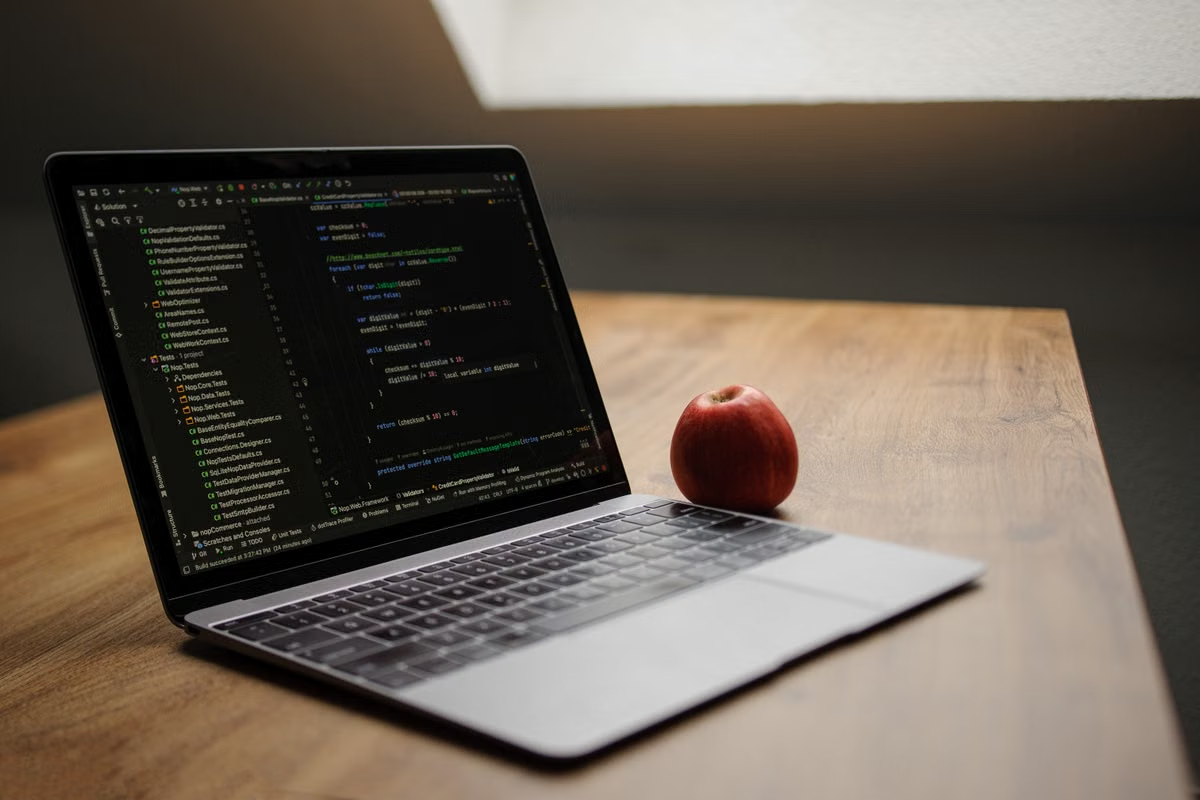
A lab needs macOS for one project, but its Linux and Windows machines cannot run the required workflow.
Fastest decision: rent a remote Mac for short projects, occasional testing, or unverified software compatibility; buy a Mac mini M6 for long-running, high-frequency work with approved funding and local peripherals. If the requirements are still unclear, use a rent-first, buy-later hybrid plan.
Who this guide is for
This guide is for graduate students who need temporary access to macOS research software, lab managers reviewing Mac mini M6 utilization, and research software teams testing Apple Silicon compatibility.
It focuses on decision criteria rather than consumer specifications: workload fit, project duration, reproducibility, remote access, data governance, and the cost of unused hardware.
Last updated September 3, 2026. Mac mini M6 availability and launch details were checked against Apple’s official newsroom announcement and technical specifications; software compatibility should be rechecked before procurement.
Start with the workload, not the chip name
The Mac mini M6 may be a reasonable research computer, but “research” covers very different tasks. A command-line pipeline, a graphical data-analysis application, a cross-platform build, and a local AI experiment create different requirements.
Apple officially announced the Mac mini with M6 and M5 Pro on August 25, 2026, with preorders opening at that time and an official availability date of September 22, 2026. Those are product and delivery facts, not proof that every research workload performs well on the machine. The official Mac mini technical specifications should be checked for the exact configuration being considered.
Use the following workload split:
- Command-line analysis: SSH, shell scripts, Python environments, R packages, compilers, and scheduled jobs are often easy to move to a remote Mac. The main risks are architecture-specific packages, memory pressure, storage access, and data-transfer time.
- Graphical research software: A desktop application may require macOS, a particular system version, a license server, or a local display workflow. Remote use can work through screen sharing, but rendering, clipboard behavior, and long sessions need testing.
- Cross-platform compilation: A Mac is valuable when the research team builds or validates a macOS application. Check whether dependencies provide Apple Silicon binaries, universal binaries, or only Intel builds that require translation.
- Local AI experiments: A Mac can support development and small-scale testing, but that does not automatically make it a replacement for a GPU server or HPC cluster. Validate the framework, accelerator support, model size, memory footprint, and data-loading path before purchasing.
Apple’s guidance on building a universal macOS binary explains why “it launches on macOS” is not the same as “the application is ready for Apple Silicon.” A research team should test the actual binary architecture and its native dependencies.
For bioinformatics and data analysis, the correct question is not whether the Mac mini M6 is “fast.” The better question is whether the workflow needs macOS, Apple Silicon, or simply more CPU, memory, storage, and parallel execution. If the existing Linux server already satisfies the software requirements, moving the entire pipeline to a Mac may add cost without solving a real problem.
Match the purchase to the project cycle
Project duration changes the economics more than the product name does. A machine that is sensible for a permanent lab platform can be wasteful for a short paper replication.
One-time coursework or a short assignment
Renting is usually the rational first move when a student needs macOS for a limited assignment. The lab avoids a purchase request, asset registration, setup work, and hardware that may sit unused after submission.
The student should first confirm:
- The required macOS version.
- The software’s Apple Silicon status.
- Whether a personal or institutional license is allowed.
- Whether the data can be processed on a remote host.
- Whether the course requires local hardware or only a completed result.
If the software fails during installation, the failure is discovered before the lab commits to a permanent machine.
A paper replication lasting several weeks
A remote Mac is useful when the team needs a controlled environment for installation, validation, and rerunning a documented workflow. Rental also makes it easier to separate the replication environment from a student’s personal computer.
Do not compare only the purchase price with the rental period. Include approval time, delivery, setup, account creation, updates, storage cleanup, and the value of hardware that remains idle between experiments.
A research project lasting several months
A monthly rental can remain practical when usage is intermittent or the software stack is still changing. Purchase becomes more attractive when the machine runs frequently, the same group needs predictable access, and the lab can support local administration.
This is also the stage for a utilization review. Record active hours, idle periods, number of users, failed installation attempts, data-transfer delays, and support requests. Those observations are more useful than a general assumption that ownership is cheaper.
A permanent lab platform
Buying a Mac mini M6 is easier to justify when the lab has recurring macOS work, stable software requirements, approved capital funding, and a clear owner for the device. The lab should still treat it as an infrastructure asset rather than a shared personal computer.
A permanent purchase does not remove the need for access control, backups, patching, data retention rules, or account separation. It only changes who owns and maintains the physical host.
Decision boundary: short-term or low-frequency use favors rental; long-term, high-frequency use with stable requirements favors purchase; uncertain demand favors a hybrid plan.
Check compatibility before moving research data
A macOS research software label is not enough to approve a device. The team must check the complete environment.
Architecture and translation
Confirm whether each application and dependency supports Apple Silicon natively. If a package still depends on Intel binaries, determine whether Rosetta is required and whether that dependency is supported by the software vendor.
Homebrew’s installation documentation and support-tier policy explain the installation path and support categories, but they do not guarantee that every scientific package is equally maintained. Homebrew also documents architecture-specific paths and Rosetta considerations in its FAQ. Some packages may have additional restrictions under its cask policy.
A reproducible test should record:
- macOS version.
- Application version.
- CPU architecture of the application and major dependencies.
- Package-manager version and installation prefix.
- Compiler and interpreter versions.
- Environment variables.
- License-server or authentication requirements.
- Input-data checksum or short test-data description.
- Expected output and observed output.
System-version requirements
Some development and research tools are tied to a narrow operating-system range. For example, Xcode’s version support changes with macOS releases, so the official Xcode system requirements should be checked before selecting a host.
The same rule applies to statistical tools, genomics applications, visualization programs, and instrument-control software. A machine that supports the current release may become unsuitable if the lab depends on an older plugin or a fixed reproducibility environment.
Reproducibility and handover
A remote Mac can help validate an environment, but successful installation is only the first gate. The research team should run a known test dataset, compare a key result, and record execution conditions.
Save the environment specification in the project repository where policy permits. Include installation commands, package versions, configuration files, sample-data summaries, and the expected output range. This makes the environment easier to reproduce for a paper, audit, student handover, or future migration to another host.
Separate remote-friendly work from peripheral-dependent work
Remote access is not one feature. Different tasks use different channels and have different failure modes.
SSH for repeatable computation
SSH is usually the cleanest option for command-line analysis, builds, package installation, log inspection, and scripted jobs. Apple’s Remote Login documentation describes the feature and its access model.
SSH does not solve every problem. Large input files still need a transfer path. Long-running jobs need a recovery plan. Credentials must be managed separately for each user, and the team should avoid placing sensitive data in temporary directories without a retention policy.
VNC or screen sharing for graphical applications
Graphical research applications may require screen sharing. Apple’s screen-sharing documentation explains the supported function and its security settings.
Remote desktop access is more sensitive to network quality than SSH. A session may remain usable for configuration and moderate interaction but become frustrating when the application displays large images, streams video, or requires precise timing.
Web console recovery
A browser-based console can be valuable when a remote graphical session fails or a user needs to regain access without changing local network settings. Before choosing a service, confirm what recovery functions it actually provides, how users authenticate, and whether administrative actions are logged.
Data transfer and latency
The workflow should be tested with representative data rather than a small demo file. Measure transfer time, check whether the dataset can remain in place, and decide whether intermediate results must be downloaded.
Remote Mac access is often suitable for compilation, environment validation, scripting, and ordinary GUI work. It is less suitable when the experiment depends on a capture card, laboratory instrument, specialized audio interface, or low-latency physical input. Do not assume that remote desktop software provides reliable peripheral passthrough unless the exact device and workflow have been verified.
Apply the lab’s permission and data rules
A purchase and a rental create different administrative tasks, but neither automatically solves governance.
Personal temporary access
For a single student, use a separate account, define where project files may be stored, and remove credentials after the project ends. The student should not use a shared administrator login merely because the setup is temporary.
Shared group access
A research group needs account isolation, a documented owner, an access-removal process, and a rule for cleaning data between users. Root access can speed up package installation, but it also increases the consequences of an incorrect command or an unreviewed script.
Zutcloud provides information about its service through the Zutcloud service overview, but the lab remains responsible for deciding whether the access model fits its institutional policy.
Department-owned equipment
A fixed Mac mini M6 may require procurement approval, asset tagging, warranty handling, storage encryption, backup planning, and an offboarding procedure when a researcher leaves. These costs are easy to overlook because they do not appear on the product invoice.
For controlled data, unpublished results, participant information, or materials covered by ethics review, check the university’s information-security and storage policies before using either a purchased or rented host. A remote Mac is not a substitute for institutional approval.
Use this acceptance checklist before deciding
The following checklist turns a general purchase debate into an executable decision. A project should not move to purchase until the relevant items have evidence.
- [ ] The project owner has written down the expected active-use period and likely idle periods.
- [ ] The required macOS version is confirmed in the software’s official documentation.
- [ ] Every critical application has been checked for Apple Silicon, universal-binary, or Rosetta requirements.
- [ ] Homebrew formulas, casks, compilers, and interpreters have been tested on the intended architecture.
- [ ] A representative dataset has completed one end-to-end test.
- [ ] The team has recorded versions, installation commands, dependencies, and expected outputs.
- [ ] The workflow has been separated into macOS-specific work and Linux/HPC-suitable work.
- [ ] SSH access has been tested for command-line tasks and job recovery.
- [ ] Screen sharing or VNC has been tested with the actual graphical application.
- [ ] Data-transfer time and storage location have been reviewed with a representative file.
- [ ] Required instruments, capture cards, audio devices, or other peripherals have been physically tested.
- [ ] User accounts, root access, authentication, logging, and data deletion have an assigned owner.
- [ ] The team has checked institutional rules for controlled or unpublished research data.
- [ ] A purchase request includes maintenance, idle time, depreciation, and disposal—not only the hardware price.
- [ ] A rental trial has a written pass/fail condition before the team commits to a long-term plan.
Use the result as follows:
- Choose rental when several compatibility, access, or peripheral items remain unverified, or when the project is short and usage is intermittent.
- Choose purchase when the workflow passes validation, usage is consistently high, local devices are essential, and the lab has stable funding and an administrator.
- Choose both when the lab needs a permanent local host but also needs a temporary remote environment for version testing, overflow work, or cross-platform release checks.
Why renting can be the better first move
The current alternative is often a lab-owned Linux or Windows machine. It may already be paid for, but it can still have real limitations: it cannot run macOS-only software, it may not reproduce Apple Silicon behavior, and its shared queue or access policy can delay a time-sensitive validation. Buying a Mac also introduces procurement, idle-hardware, maintenance, and handover costs.
When the requirement is temporary, a Zutcloud remote Mac gives the team a way to validate the actual macOS environment before submitting a Mac mini M6 purchase request. The Mac rental pricing page can be reviewed after the team has defined its project duration, software version, data policy, and peripheral requirements. If those requirements point to permanent high-frequency use, purchasing remains the more defensible long-term option.
Frequently asked questions
Does a graduate student need to buy a Mac mini M6 to run research software?
Not necessarily. If the software is needed for a short course, a paper replication, or an unverified compatibility test, renting a remote Mac is usually the safer first step. Buy a Mac mini M6 when the workload is frequent, the software environment is stable, local peripherals are required, and the lab has approved long-term funding.
Should a lab rent a Mac or buy one for occasional macOS work?
For occasional use, renting is usually more efficient because the lab avoids procurement delays, idle hardware, maintenance, depreciation, and disposal. A purchase becomes more reasonable when several users need predictable access, the machine will run continuously, and the lab can manage accounts, storage, updates, and physical security.
Is the Mac mini M6 suitable for bioinformatics and data analysis?
It can be suitable for macOS-native analysis, scripting, visualization, and Apple Silicon compatibility checks, but the software decides the outcome. Confirm native support, memory requirements, architecture, and database dependencies in the tool’s documentation. Large parallel pipelines may still belong on an existing Linux server or HPC cluster.
Can a remote Mac replace a physical Mac mini in a research lab?
A remote Mac can replace a physical Mac for SSH workloads, software installation tests, compilation, and many desktop applications. It is not a universal replacement for instruments, capture cards, specialized audio hardware, or experiments requiring low-latency local input. Validate network latency, data transfer, and peripheral requirements before moving the workflow.
How long should a research project use a Mac before buying one makes sense?
There is no useful break-even period without real rental and ownership costs. Count active use, idle time, procurement, maintenance, depreciation, disposal, and support. A short or uncertain project should start with rental. Reconsider purchasing after repeated use shows stable demand, approved funding, compatible software, and a clear need for local access.
Core comparison: buy, rent, or rent-then-buy
The watershed is not purchase price divided by monthly rent. It is whether the stack is accepted, whether the machine will stay busy, and whether the experiment must attach local instruments.
| Option | Horizon | Funding | Local devices | Main risk |
|---|---|---|---|---|
| Buy Mac mini M6 | Months+, high weekly use | Approved capital | Instruments / capture / audio | Idle time, slow procurement, handover |
| Rent a remote Mac | Days to weeks, sporadic tests | Operating / daily-weekly | No physical passthrough | Latency, transfer, data residency |
| Rent first, buy later | Unclear duration, unverified software | Validate, then request capital | Unknown | Environment migration |
| If you are… | Choose | Why |
|---|---|---|
| A student with one assignment or replication | Rent | No utilization case for ownership |
| A group whose Apple Silicon support is unproven | Rent then buy | Save a reproducible env before procurement |
| A months-long project with weekly macOS work | Rent one cycle, then review | Use login hours and interrupts as evidence |
| A permanent lab platform with an admin | Buy | Asset + local peripherals |
| Already served by Linux HPC | Hybrid: HPC + short rental | Do not replace the cluster with a mini |
Recommended stacks
A — Course / short replication: daily or weekly remote Mac, SSH for scripts, VNC for GUI, brew/pip lockfile in the repo. Do not upload controlled corpora.
B — Multi-month project: rent 2–4 weeks for acceptance, then buy 24GB or 32GB M6 if Memory Pressure stays green. See the M6 Mac mini RAM guide.
C — Lab platform: owned M6 plus one remote Mac for version isolation. Independent accounts and offboarding. Developer loads: Is the M6 Mac mini good for developers?
Pitfalls
- Using chip generation as software acceptance.
- Treating “it installed” as “the pipeline passed.”
- Comparing only sticker price versus monthly rent.
- Assuming remote desktop passthrough for capture cards.
- Replacing a working Linux HPC with one Mac mini.
Action plan: 7 steps
- Write official evidence that macOS or Apple Silicon is required.
- Run a sanitized dataset through install, compute, and export.
- List peripherals, data rules, and what must stay on-premises.
- Log four weeks of logins, runtime, idle days, and remote drops.
- Pick buy / rent / hybrid in writing, with a kill condition.
- If still unsure, rent one full cycle and keep the environment list.
- Buy a Mac mini M6 only after frequent accepted use; retest on arrival.
Further reading
- Compare MacBook Pro, Mac mini, and Mac Studio for AI development workloads
- Choose the right M6 Mac mini memory tier for research tools and local AI workloads
- Evaluate remote Mac builds, cloud CI, and ownership costs for team projects
Choose Zutcloud for Flexible Research Computing
Rent a dedicated macOS bare-metal environment when you need research capacity without an upfront hardware purchase.
Select daily, weekly, monthly, or quarterly billing to match your project timeline and control infrastructure costs. Order now